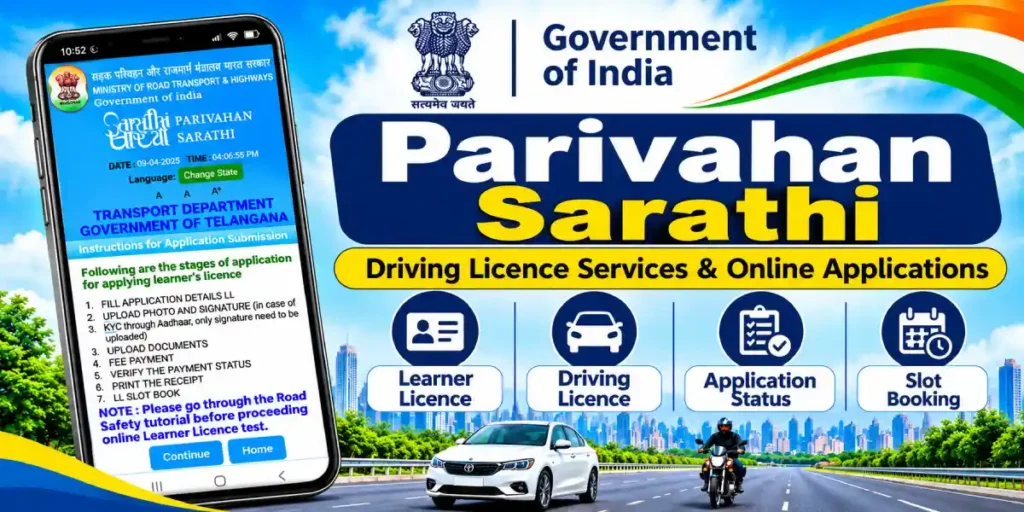
Modern transport governance in India has evolved rapidly through digital transformation. Overseen by the Ministry of Road Transport and Highways (MoRTH), the centralized licensing infrastructure allows citizens to bypass long queues and manual paperwork at Regional Transport Offices (RTOs). At the center of this digital push is the parivahan sarathi system, designed to handle the entire lifecycle of driver credentialing across the country.
Whether you are applying for a fresh learner’s licence, booking a driving skill test appointment, or renewing an expired licence, the parivahan sarathi portal ensures transport administration remains transparent, prompt, and hassle-free. In this detailed guide, we explore how the platform works, the services it offers, and step-by-step instructions to complete your applications online.
What is Parivahan Sarathi?
Parivahan Sarathi (often known as Sarathi 4.0) is the national web-based application developed by the National Informatics Centre (NIC) specifically for driver licensing and permit services. While the companion Vahan platform manages vehicle registrations and fitness records, Sarathi maintains the centralized National Register of driving licences.
By establishing a unified, interoperable database across states and union territories, the portal prevents duplicate licences, standardizes testing procedures, and links seamlessly with Aadhaar for contactless, faceless citizen services.
Key Services Offered on the Parivahan Sarathi Portal
Parivahan Sarathi consolidates dozens of traditional counter-based services into an intuitive, self-service dashboard:
1. Learner’s Licence (LL) Services
- New Application Submission: First-time drivers can apply online by submitting personal credentials, educational qualifications, and identification proofs.
- Online LL Test (STALL): In participating states with Aadhaar-based authentication, applicants can take their computerized learner licence test directly from home without visiting an RTO.
2. Permanent Driving Licence (DL) Services
- New Driving Licence Application: Once an applicant completes the mandatory 30-day learner licence holding period, they can apply for a permanent DL.
- Driving Test Appointment Booking: Select available date and time slots at your designated automated driving testing track (ADTT) or local RTO.
3. Licence Renewal and Duplicate DL
- Online DL Renewal: Renew expired private or commercial licences by submitting Form 1 (Self-Declaration of Medical Fitness) or Form 1-A (Medical Certificate from a registered practitioner).
- Duplicate DL Issuance: Request an official replacement smart card if your physical licence card is lost, damaged, or stolen.
4. Endorsement and Class Additions
- Add new vehicle categories—such as expanding from light motor vehicles (LMV) to commercial transport vehicles—by uploading driving school training certificates and booking endorsement appointments.
5. International Driving Permit (IDP)
- Apply for an international driving permit by uploading a valid Indian driving licence, passport, visa details, and international flight tickets.
6. Contact and Address Updates
- Update your registered residential address, emergency contact, or mobile number linked with your DL records online.
How to Apply on Parivahan Sarathi: A Step-by-Step Guide
Completing an application online is straightforward when following these steps:
- Step 1: Navigate to the Portal and Select Your State: Open the official Parivahan Sewa portal, click on Drivers/Learners License, and select your state from the dropdown menu to load state-specific regulations.
- Step 2: Choose Your Desired Service: From the main dashboard, select your required service (e.g., Apply for Driving License, DL Services, or Fee Payment).
- Step 3: Fill Out the Application Form: Enter your applicant details, including legal name, date of birth, blood group, permanent address, and RTO jurisdiction.
- Step 4: Upload Required Verification Documents: Attach digital copies of age proof (10th marksheet or passport), address proof (Aadhaar, utility bills, or voter ID), and a recent passport-size photograph and signature.
- Step 5: Pay Government Fees and Book Slots: Complete the fee payment securely through the integrated payment gateway. Download your payment receipt and choose an appointment slot for your physical driving test or verification.
Essential Benefits of Using Parivahan Sarathi
- Zero Dependency on Middlemen: Direct online access eliminates touts and unauthorized agents, ensuring you pay only the government-prescribed statutory fees.
- Real-Time Application Tracking: Applicants can track file verification, approval stages, and smart card dispatch status 24/7 using their application number and date of birth.
- Paperless and Faceless Transactions: Aadhaar authentication allows many routine updates and test clearances to happen remotely.
- DigiLocker Integration: Licences approved via the portal automatically synchronize with DigiLocker and the mParivahan app, serving as legally recognized digital credentials nationwide.
Frequently Asked Questions (FAQs)
Q1. How can I track my driving licence status on Parivahan Sarathi?
Go to the homepage, click on Application Status, enter your application number along with your date of birth, and click Submit to view live progress.
Q2. What should I do if my fee payment fails but money is deducted?
Navigate to the Verify Pay Status tab on the portal, enter your application number, and click verify. If the transaction was successful at the bank, the receipt will update within 24 to 48 hours.
Q3. Is the electronic DL from the portal legally valid during traffic police checks?
Yes. Driving licences downloaded through the portal, mParivahan, or DigiLocker carry digital signatures and QR codes that are legally valid across all Indian states under the Motor Vehicles Act.