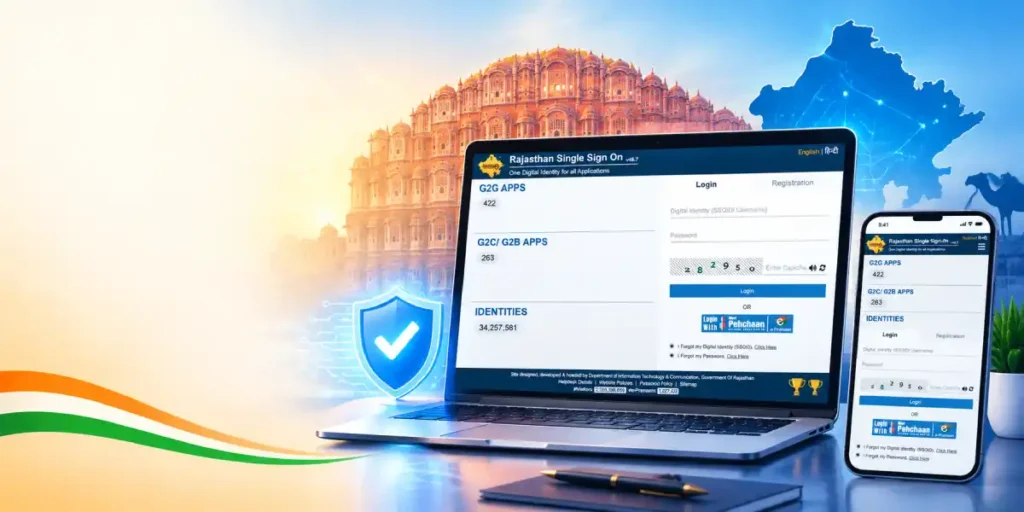
As organizations increasingly adopt Single Sign-On (SSO) systems to simplify authentication, a new term has become common in the digital workspace: SSO ID. Whether you’re an employee accessing company tools, a student logging into a university portal, or a customer signing into a SaaS platform, understanding what an SSO ID is and how it works can help you navigate modern login systems with ease.
What Is an SSO ID?
An SSO ID is the unique identifier or username assigned to a user within a Single Sign-On system. It acts as the central credential that links a person’s identity across multiple connected applications and services. Instead of having separate usernames for email, HR software, cloud storage, and internal tools, a user is given one SSO ID that authenticates them across all integrated platforms.
Think of an SSO ID as your digital master key—once verified by the identity provider (IdP), this single credential grants access to every application within that trusted ecosystem, without requiring you to remember or enter multiple usernames and passwords.
How Does an SSO ID Work?
- Assignment — When a user joins an organization or platform, an administrator creates an SSO ID, often tied to their email address or employee ID.
- Centralized Storage — This ID is stored in a central identity provider system such as Okta, Microsoft Entra ID, Google Workspace, or OneLogin.
- Authentication Request — When the user tries to log into any connected application, the system checks the SSO ID against the central directory.
- Token-Based Access — Once verified, a secure authentication token is issued, allowing seamless access to all linked applications without repeated logins.
- Session Management — The SSO ID remains active for the duration of the session, and logging out from one platform can log the user out of all connected apps.
Why Is an SSO ID Important?
- Simplified User Management — IT teams can manage access, permissions, and security policies for an entire organization through one identifier.
- Enhanced Security — Centralizing authentication under a single ID makes it easier to enforce strong password policies, multi-factor authentication (MFA), and access monitoring.
- Improved Productivity — Employees save time by not having to repeatedly log in to different systems throughout the day.
- Easy Onboarding and Offboarding — When an employee joins or leaves, their SSO ID can be created or deactivated instantly, immediately granting or revoking access to all linked platforms.
- Audit and Compliance — A single ID makes it simpler to track user activity across systems for security audits and regulatory compliance.
Common Examples of SSO IDs
- A corporate email address used to log into Microsoft 365 apps like Teams, Outlook, and SharePoint.
- A university-issued student ID used to access learning management systems, library portals, and email simultaneously.
- A Google account used to sign into third-party apps via “Sign in with Google.”
Tips for Managing Your SSO ID
- Use a strong, unique password tied to your SSO ID Rajasthan, since it protects access to multiple systems.
- Enable multi-factor authentication (MFA) for extra security.
- Report suspicious activity immediately, as a compromised SSO ID can expose access to all connected applications.
- Keep recovery information updated (phone number, backup email) in case you need to reset your credentials.
Frequently Asked Questions
1. What is the difference between an SSO ID and a regular username?
An SSO ID works across multiple integrated applications through a centralized identity provider, while a regular username typically only grants access to a single, standalone system.
2. Can I have multiple SSO IDs for different organizations?
Yes. If you’re associated with multiple organizations that each use their own SSO system, you’ll have a separate SSO ID for each one, since these identity providers usually operate independently.
3. What happens if I forget my SSO ID?
Most organizations tie the SSO ID to your email address or employee/student ID, so you can usually recover it through your IT helpdesk or an account recovery option on the login page.
4. Is my SSO ID the same as my email address?
In many organizations, yes—your email address often serves as your SSO ID. However, some systems use a separate unique identifier, such as an employee number or custom username.
5. What should I do if my SSO ID is compromised?
Immediately change your password, enable multi-factor authentication if not already active, and notify your IT or security team, since a compromised SSO ID can potentially expose access to all linked applications.